Free for iPhone & iPad · New: Family Sync

Their allowance.
Their goals.
All in KidTab.

Keep track of allowance, chore rewards, and what each kid has saved. Open it together on an iPad, or keep tabs from your iPhone. Your kid doesn’t need a phone.

No subscription. No ads. No bank account.
iOS & iPadOS 18 or later.

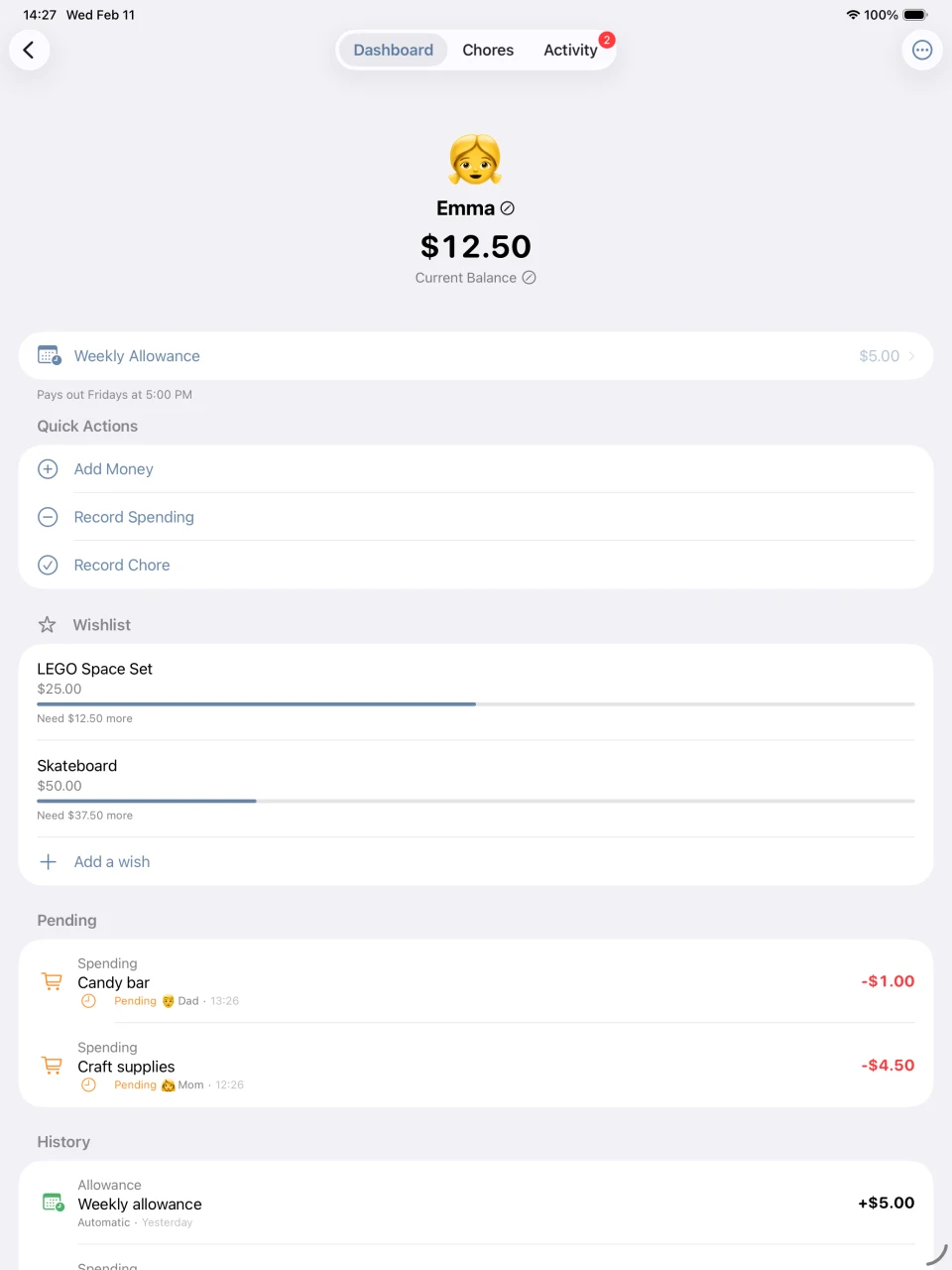
Emma’s iPad profile with her balance, weekly allowance, and savings goals for a LEGO set and skateboard.
Real KidTab on iPad · Sample family · Tap to enlarge

A simple way to keep track together

01 / Keep track

Know what each kid is owed.

Record earnings and spending in one place. Set a weekly allowance and see how every entry adds up.

02 / Make it tangible

Give effort a reward.

Set a value for extra chores. Record a job well done, then see progress toward something they want.

03 / Share the job

Both parents, in the loop.

Optional Family Sync lets guardians share the same family records across devices. No spreadsheet handoffs.

A closer look

A place for every little milestone.

Real screens on iPhone and iPad.
Tap any screen to see the details.

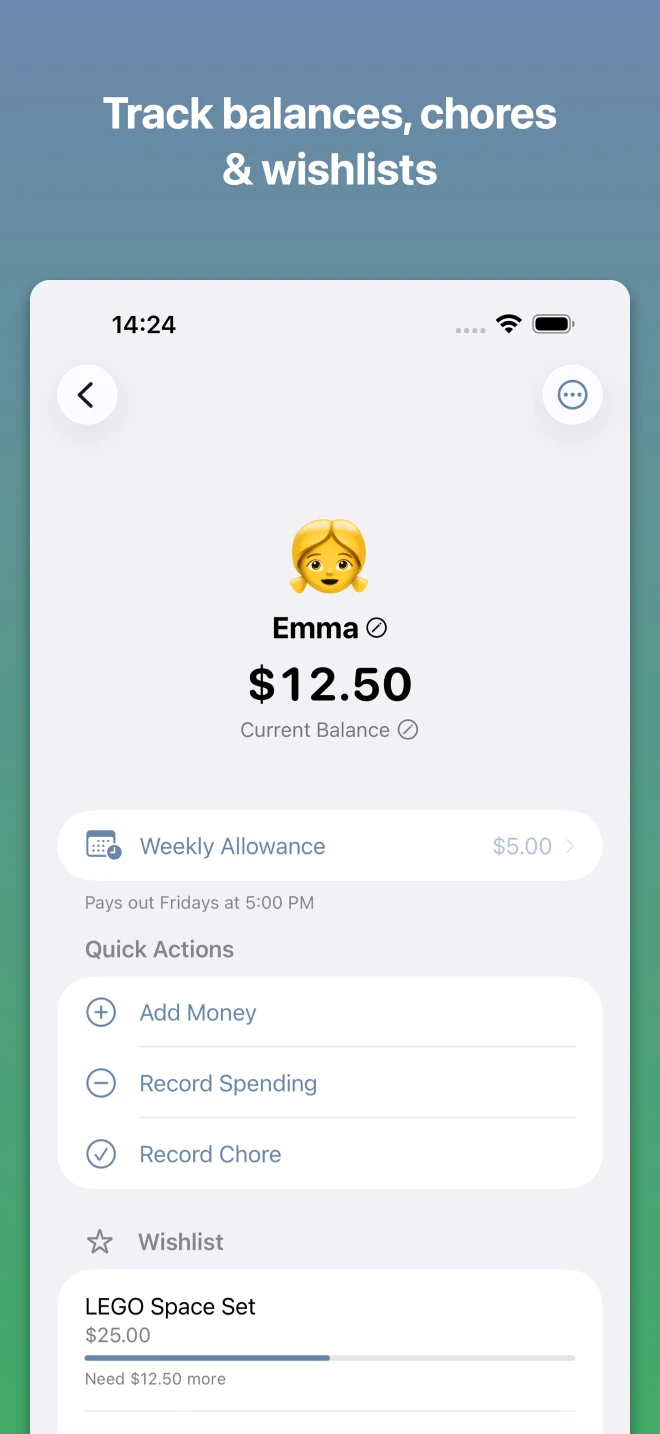
iPhone balance, weekly allowance, and wishlist with progress toward savings goals.

Something to save for

Make the next goal visible.

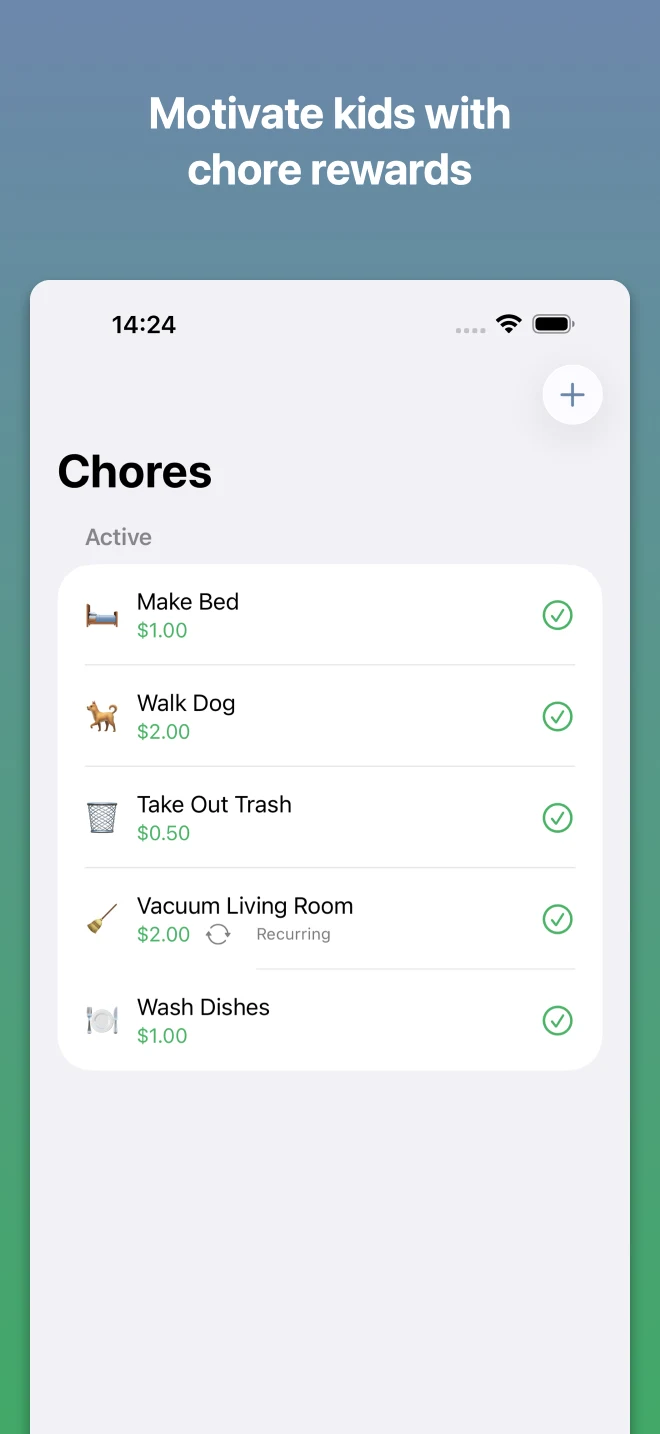
iPhone chore list with household tasks and the reward amount for each.

A little extra effort

You choose the tasks and rewards.

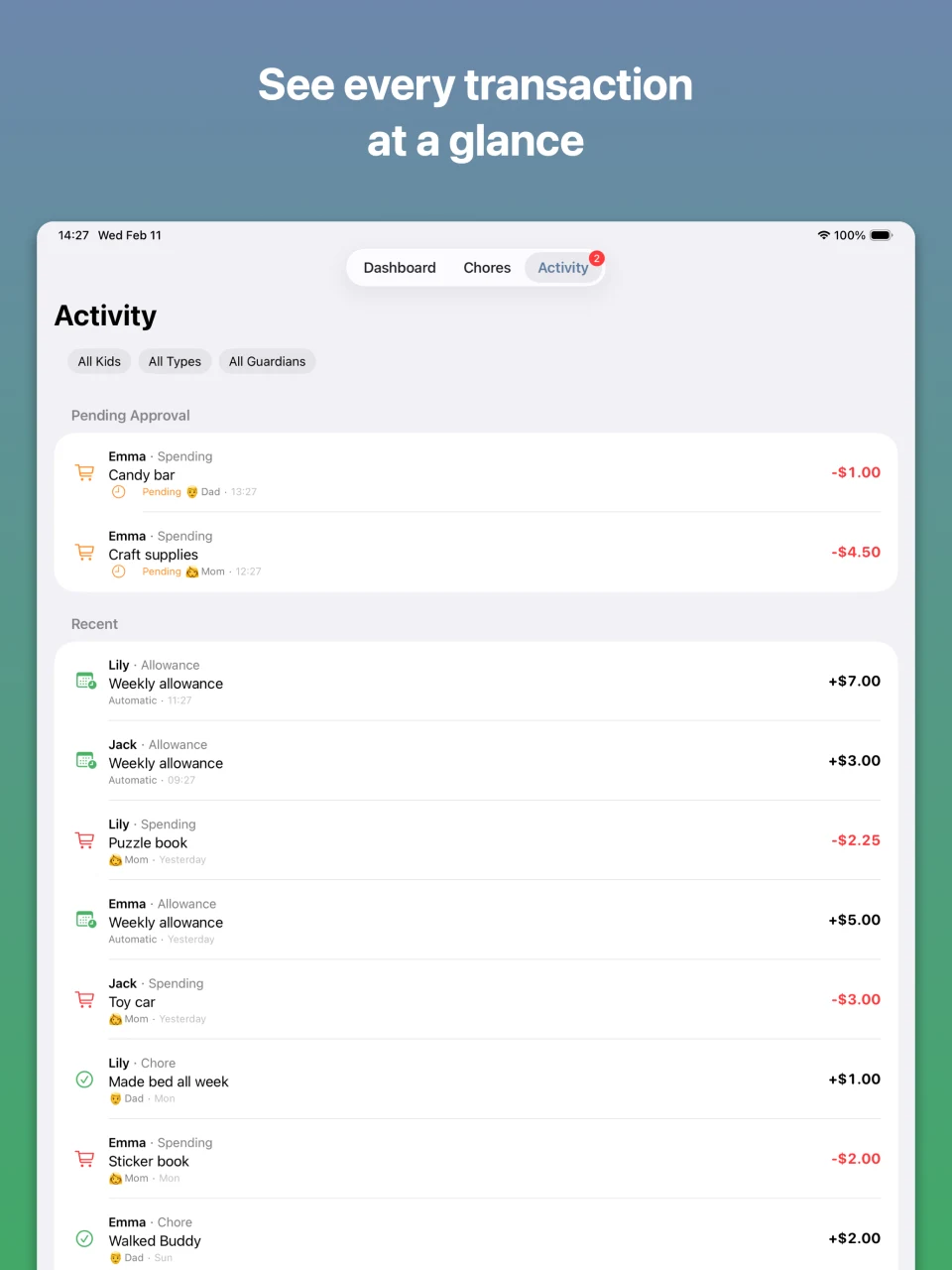
iPad activity history listing allowances, chore rewards, and spending with guardian names.

The whole picture

Follow the history together on iPad.

12 seconds inside KidTab

From a job well done
to a goal in sight.

Check a balance, explore a wishlist, and record a chore reward. Two short clips from the iPhone app, with sample data.

Silent video. On iPad, there’s more room to explore the same family records together.

Read the video description

A parent opens Emma’s profile from the family dashboard to see her balance, weekly allowance, and wishlist. In a separate clip, they record a completed “Walk Dog” chore. A celebration appears and her balance updates.

Try it with your family
Recorded in KidTab · Open video

Built for our family. Shared with yours.

It started with
one very complicated
Google Sheet.

David E. Weekly
California developer. Dad to Maxwell & Cyrus.

My wife, Rebecca, and I want our boys to learn responsibility: finish their homework, do their chores, and earn a weekly allowance—with chances to earn extra when they go above and beyond.

Keeping track of what each boy was owed became a complicated Google Sheet. Rebecca worried about breaking it, so every change—and every question from the boys—came back to me. When one wanted to pay his brother, I realized I was building a ledger.

We’d tried paid debit cards. The monthly fees, and the cards the boys kept losing, weren’t solving our problem. We just needed a place to check balances, record purchases we made for them, and save toward things that mattered to them.

That’s why I built KidTab. It’s free, with no ads or subscription. I use it with my own family, and I’d love to hear how it works for yours.

Write to David

Before you get started

A few good questions.

More help is on our support page.

Is KidTab really free?

Yes. KidTab is free to download and use, including Family Sync. There are no ads, subscriptions, or in-app purchases.

Does KidTab hold or move real money?

No. It records what your family has earned, spent, or saved. You handle any cash or purchases outside the app. There’s no bank connection or debit card.

Can we use an iPad instead of a phone?

Yes. KidTab 2.0 supports iPhone and iPad running iOS or iPadOS 18 or later. A child doesn’t need a phone. Use it together on a family iPad, or show them their balance on your iPhone.

Can my child use it independently?

KidTab is currently operated by parents and guardians. Children don’t have their own sign-in, restricted view, or in-app purchase-request flow. A signed-in guardian can edit the family’s records, so explore it together.

Does allowance depend on finishing chores?

You decide your family’s rules. KidTab’s scheduled weekly allowance is automatic; it does not check chores or homework before crediting it. To decide each payment yourself, leave the scheduled allowance at zero and record earnings manually. Extra chore rewards are recorded separately.

Do we need an account? Can both parents help?

No account is needed for local use. To share records across devices, a guardian can sign in and turn on Family Sync, then invite another guardian. All guardians in the family can view and edit its records.

Can I import a spreadsheet or connect my agent?

Not yet. Parent-authorized agent access, transaction-history import, and a parent web app are on the roadmap. For now, you can set a starting balance and record entries in the app.

Is there an Android version?

An Android version is in development. This site currently links to the released iPhone and iPad app. Contact us about Android availability.

Your family’s records

Start on your device.
Choose when to share.

Family records stay on your device unless you enable Family Sync. Sync stores them with Google Firebase so your guardians’ devices can share them.

You control whether to sync and can request account deletion. The app’s SDK diagnostics and this website’s analytics are explained in our privacy policy.

Account & data deletion

Less keeping tabs.
More growing up.

Add your kids, set a starting balance, and take it from there.

Download on the App Store

Free · iPhone & iPad · iOS / iPadOS 18+

QR code linking to KidTab in the App StoreScan with your iPhone or iPad